
If you have a Philips Sonicare toothbrush not vibrating problem, don’t panic.
The vibrations in your Philips Sonicare toothbrush help effectively clean your teeth and remove plaque.
If your toothbrush is not vibrating, it indicates a mechanical problem that you need to address.
To get your Philips Sonicare toothbrush to vibrate, check the brush head motor to see if it’s loose. You’ll need to tighten it so it doesn’t move around or replace the brush head for a better fit.
Alright, it’s time to discuss the solutions in detail!
Philips Sonicare Toothbrush Not Vibrating – Proven Methods to Fix This Issue
To find the best solution, you need to determine the cause of the problem first.
Here are some of the common reasons your Philips Sonicare toothbrush is not vibrating:
- The power button is dirty or obstructed by toothpaste residue
- The battery is low or not fully charged
- The brush head is worn out or damaged
- The brush mode is too low, or the Easy-Start feature is activated
- Your toothbrush has internal damage or corrosion
In this article, we’ll enumerate the possible solutions and preventions.
But before that, we recommend you begin with some basic troubleshooting steps.
Before You Start

These four fundamental troubleshooting steps will help identify and address issues with your Philips Sonicare.
Sometimes, the problem is so minor that a simple solution easily solves it.
- Make sure your toothbrush charger is plugged in properly
- Check the power outlet to see if it’s working
- Clean the body of the toothbrush
- Check your toothbrush for signs of damage
If none of the above steps work, proceed to the listed solutions.
Method #1: Clean the Power Button and Remove Obstructions
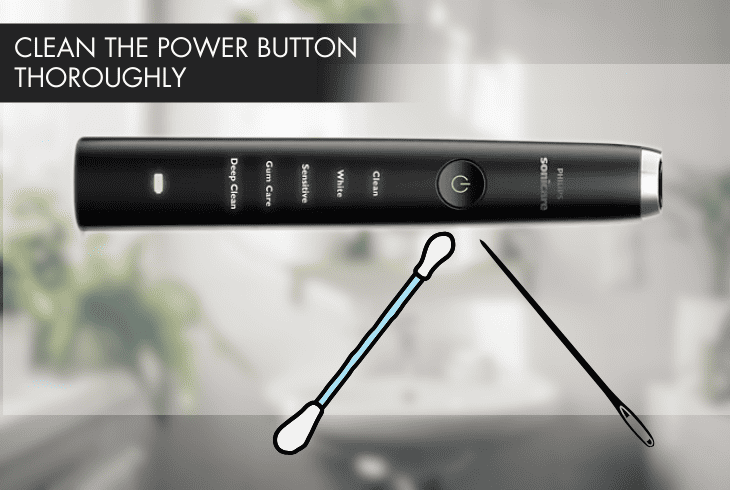
If your Philips Sonicare toothbrush is not vibrating, check for a dirty or obstructed power button, possibly from toothpaste residue.
This prevents you from pressing the power button properly, hindering your toothbrush from turning on.
To fix this, clean the power button thoroughly and remove any obstructions blocking its functionality.
Things you need:
- A clean cloth or cotton swab
- A toothpick or needle
- Compressed air
Here are the steps to do this:
- Wipe the power button and the surrounding area with a soft cloth or cotton swab.
- Gently scrape off hardened toothpaste residue using a toothpick or needle.
- Blow away any dust or debris with your hair dryer or can of compressed air.
- Press the power button several times to test if it works.
If the power button is clean and free from obstructions, but your toothbrush is still not vibrating, move on to the next solution.
Method #2: Fully Charge your Toothbrush and Leave it Charging for 24 Hours
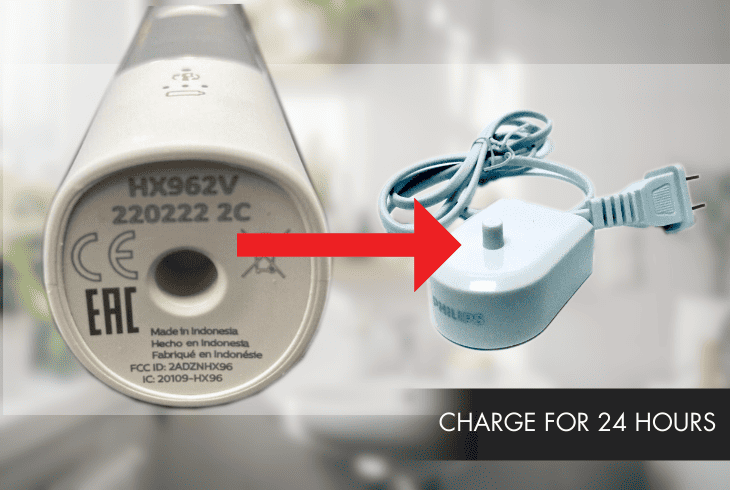
The battery affects the vibration intensity and duration of your toothbrush.
If it is low or not fully charged, your Philips Sonicare experiences reduced power, leading to weaker vibrations or a shorter operating time.
To ensure optimal performance, recharge the battery fully before use and leave it on the charger for 24 hours.
Here are the steps to do this:
- Plug your toothbrush’s charger into a working outlet.
- Put the toothbrush handle on the charger.
- Wait for the battery indicator to flash, signaling your toothbrush is charging.
- It will stop flashing once it’s fully charged.
- Leave your toothbrush on the charger in between brushing sessions.
Note: New Philips Sonicare toothbrush models have mechanisms to prevent overcharging. Leaving your toothbrush on the charger won’t affect the battery lifespan.
Method #3: Remove and Clean the Brush Head, or Replace It
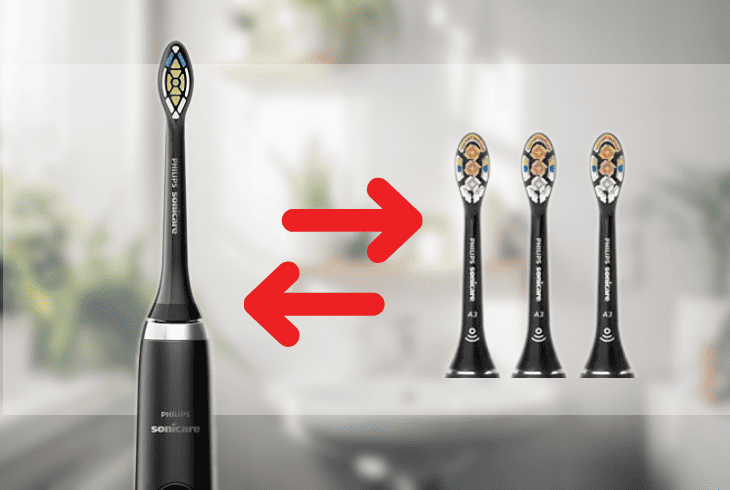
A worn-out or damaged brush head causes a reduction in the vibration transfer from the toothbrush handle to the bristles, leading to a Philips Sonicare toothbrush not vibrating properly.
To resolve this, remove and clean the brush head. If this doesn’t work, replace it with a new one.
Things you need:
- Mild soap
- Water
- Vinegar solution or mouthwash
To do this, follow these steps:
- Turn the brush head counterclockwise to disconnect it from the handle.
- Rinse the bottom of the toothbrush head with warm water.
- Inspect the bristles and the base of the brush head for signs of damage.
- Clean the toothbrush head with mild soap and water if it is in good condition.
- If the brush head is worn out or damaged, replace it with a new one.
- Twist on the new brush head clockwise until it is tight.
Soak the base and the brush head in a vinegar solution or mouthwash for at least 30 minutes for stubborn dirt or debris.
Tip: Ensure you get a new brush head compatible with your Philips Sonicare toothbrush model.
Method #4: Deactivate Easy Start or Change the Brush Modes
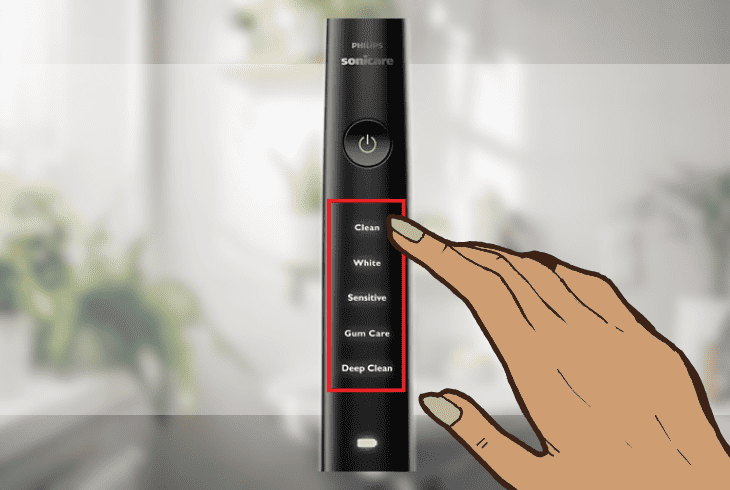
Some Philips Sonicare toothbrush models support an Easy Start feature that gradually increases the power and intensity of the vibration over the first 14 uses.
It’s designed to help new users get used to the sensation of the toothbrush.
However, this feature sometimes makes the toothbrush vibrate less than normal.
Info: A single beep signifies the Easy Start feature is deactivated, while two beeps indicate it is activated.
Deactivate the feature to fix the issue of your toothbrush not vibrating.
Here are the steps to do this:
- Turn on your toothbrush.
- Press and hold the power button for two seconds.
- Listen to the beep to determine if Easy Start is enabled or not.
- Turn off your toothbrush and turn it on again.
- Check if it vibrates more.
Alternatively, change the brush mode of your toothbrush. Some Philips Sonicare toothbrush models have different brush modes that offer different levels of vibration and intensity.
If your toothbrush is not vibrating, switch to a brush mode with a stronger brushing action.
Here are the steps to do this:
- Turn on your toothbrush.
- Press the mode button to navigate the different modes.
- Choose the brush mode you want to use and release the mode button.
- You will receive a confirming beep to acknowledge your selection.
- Turn off your toothbrush and turn it on again.
- See if it vibrates differently.
Method #5: Open Your Toothbrush and Check for Internal Damage
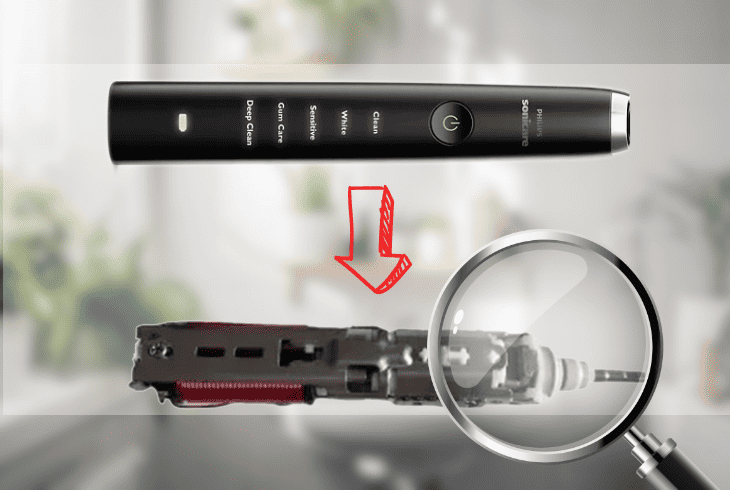
The next step is to open your toothbrush and check for internal damage or corrosion.
When moisture, toothpaste residue, and water get inside the toothbrush, it affects the components and leads to malfunctions.
To address this, carefully inspect the internal parts for signs of damage and ensure the connections and circuits are corrosion-free.
Things you need:
- A flat-head screwdriver
Here are the steps to open your toothbrush and check for internal damage:
- Pry open the bottom of the toothbrush handle using a flat-head screwdriver.
- Ensure you don’t damage the rubber seal or plastic casing.
- Remove the internal assembly from the body and inspect the components.
- Look for signs of damage on the battery, circuit board, wires, motors, or metal shaft.
- If you see any, replace the affected part or the entire toothbrush.
If there is no damage or corrosion on the toothbrush, but it’s still not vibrating, move on to the last solution.
Method #6: Tighten the Brush Head Motor Screw of Your Toothbrush
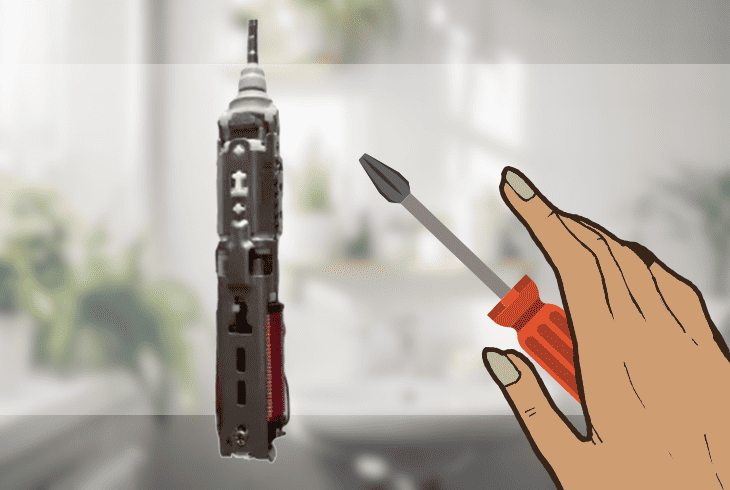
The final solution to fix your not vibrating Philips Sonicare toothbrush is to tighten the screw that holds the brush head motor.
The screw becomes loose over time, causing the vibration to decrease or stop altogether.
By tightening the screw, you are securing the motor and improving your toothbrush’s performance.
Things you need:
- #0 Phillips screwdriver
- Loctite or glue
Here are the steps to do this:
- Remove the brush head from the handle.
- Use a #0 Phillips screwdriver to tighten the brush head motor screw.
- Rotate it in a clockwise direction until it is snug and secure.
- Apply some Loctite or glue to the screw heads to prevent them from loosening again.
- Reassemble the toothbrush.
- Turn the brush head clockwise until you hear it clicking into place.
After tightening the screw, turn on the toothbrush to see if it vibrates properly. If it still doesn’t work, replace your toothbrush.
Quick Recap
In summary, the vibrations in your toothbrush play a crucial role in efficient teeth cleaning and plaque removal. If you encounter a Philips Sonicare toothbrush not vibrating issue,
It’s likely due to a mechanical problem. To fix this, tighten the screw holding the brush head motor.
For more troubleshooting articles and insights about Philips Sonicare toothbrushes, visit our blog!

- SimpliSafe Doorbell Not Flashing White? (Quick Fix Guide) - April 30, 2024
- SimpliSafe Keypad Out Of Range? (Proven Ways to Fix) - April 30, 2024
- Kasa Plug Change WiFi – (5 Easy-to-Follow Steps!) - April 30, 2024