
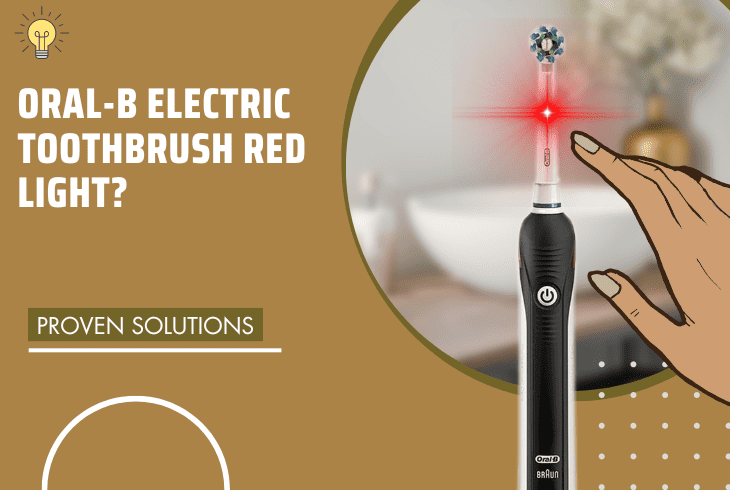
Are you seeing an Oral-B electric toothbrush red light? Don’t worry because we got you!
The red light on your Oral-B electric toothbrush is a sensor that alerts you when it detects excessive pressure.
It helps prevent excessive brushing, promoting gentler and more effective oral care.
To turn off your Oral-B toothbrush’s red light, you must reduce the pressure when you brush, as this is usually the primary cause. If this doesn’t work, clean the pressure sensor.
Excellent, let’s discuss these solutions in detail.
Oral-B Electric Toothbrush Red Light – 6 Tried and Tested Fixes

There are three main causes of the red light on your Oral-B electric toothbrush.
Identifying them involves recognizing the pressure applied during brushing, potential issues with the brush head, and the need for a reminder to clean the brush head.
In this article, we’ll show you how to fix the red light issue.
But first, we recommend you perform some basic troubleshooting steps to eliminate minor problems.
Before You Start

Before you proceed to the solutions below, do the following troubleshooting steps.
You may be dealing with a simple problem that doesn’t require advanced solutions.
- Make sure your toothbrush has a sufficient charge.
- Clean the charging base of your toothbrush.
- Check your charging base for any signs of damage.
- Update your Oral-B toothbrush’s firmware.
If these four don’t do the trick, move on to the listed solutions.
1. Reduce the Pressure When You Brush

The red light on your Oral-B electric toothbrush usually indicates that you are brushing too hard.
The pressure sensor helps you brush with the right amount of pressure and will light up red when you exceed it.
To fix this issue, reduce the pressure when you brush.
Excessive brushing force will harm your gums and enamel, so it is recommended to do it gently and let the toothbrush do the work.
Here are the steps to reduce the pressure when you brush:
- Hold the toothbrush lightly in your hand.
- Follow the guidance of the pressure sensor.
- Pay attention to the red light and adjust your pressure accordingly.
- The red light should turn off when you apply the right amount of pressure.
Tip: Use a soft-bristled brush head to brush your teeth more gently.
We recommend the Oral-B Sensitive Clean brush head for sensitive teeth and gums and the Oral-B Gum Care brush head for gently cleaning along the gumline.
2. Clean the Pressure Sensor

At times, the pressure sensor becomes obstructed by toothpaste residue or debris, compromising its accuracy.
In such cases, it mistakenly interprets normal brushing pressure as excessive, activating the red light on Oral B electric toothbrush.
To fix this, clean the pressure sensor regularly and keep it dirt-free.
Things you need:
- Warm water
- Clean cloth
Here’s how to do this:
- Turn off your toothbrush and remove the brush head.
- Rinse the toothbrush handle under warm water for about 10 seconds.
- Wipe the handle dry with a clean cloth.
- Wipe the sensor area gently and carefully.
- Reattach the brush head and turn on your toothbrush.
Note: Ensure you rinse the sensor area thoroughly and remove any toothpaste residue or debris stuck on it.
3. Clean the Metal Pin and Handle of Your Toothbrush

The metal pin is the part that connects the brush head to the handle, which contains the battery, circuit board, and pressure sensor.
If these two get dirty or corroded, the pressure sensor won’t be able to detect the pressure accurately, triggering the red light.
To address this, clean the metal pin and handle of your toothbrush.
Things you need:
- A damp cloth or cotton swab
- Clean cloth
Here are the steps to do this:
- Turn off your toothbrush and remove the brush head.
- Wipe the metal pin and handle with a damp cloth or cotton swab.
- Remove any toothpaste residue or debris stuck on them.
- Dry the metal pin and the handle with a clean cloth.
- Reattach the brush head and turn on your toothbrush.
Note: Be careful not to damage the metal pin or handle with water or excessive force. Also, ensure they’re completely dry before you reattach the brush head.
4. Replace the Brush Head of Your Oral-B Toothbrush

The brush head is the part of your toothbrush that holds the bristles and indicator ring.
It attaches to the metal pin on the handle and gets worn out or damaged over time.
This affects the pressure sensor, which then triggers the red light. To fix this, replace the brush head with a new one.
Info: Ensure you use an Oral-B compatible brush head that fits your toothbrush model.
Here are the steps to replace the brush head:
- Turn off your toothbrush.
- Twist the old brush head slightly to loosen it, then pull it straight off the metal pin.
- Dispose of the old brush head through your local or Oral-B’s recycling program.
- Push the new brush head onto the metal pin until you hear a click.
- Turn on your toothbrush and see if it works normally.
Note: Ensure the brush head doesn’t wobble or fall off to avoid potential damage to the toothbrush mechanism.
5. Reset Your Oral-B Toothbrush

Another possible reason you see the Oral B toothbrush red light is a malfunctioning toothbrush.
Either there’s a faulty sensor, damaged circuit board, or law battery causing the red light to flash or stay on.
To fix this, reset your toothbrush to restore it to its factory settings and clear any errors.
Note: This method will erase any personalized settings you made, including the brushing mode, timer, and Bluetooth connection. You’ll have to set them up again after the reset.
Here are the steps to reset your Oral-B toothbrush:
- Turn off your toothbrush and remove the brush head.
- Plug the toothbrush into the charger and wait until it is fully charged.
- Press and hold the power button for approximately 10 seconds.
- The battery indicator should flash green and red, then turn off.
- Unplug the toothbrush from the charger.
- Reattach the brush head and turn on your toothbrush.
See if the red light is gone. If not, move on to the next solution.
6. Examine Your Toothbrush for Water Damage

Your Oral-B electric toothbrush is designed to be water-resistant but not waterproof.
This means it is able to withstand splashes and rinses but not submersion or immersion.
If you drop your toothbrush in water or expose it to excessive moisture, you will damage its internal components, causing the red light to flash or stay on.
Things you need:
- Flashlight
- Hair dryer or fan
To examine your toothbrush for water damage, follow these steps:
- Turn off your toothbrush and remove the brush head.
- Shake the toothbrush gently to remove any excess water inside the handle.
- Look for signs of water damage using a flashlight.
- If you find rust, corrosion, or leakage, repair or replace your toothbrush.
- If you don’t see any, dry your toothbrush with a hair dryer or a fan.
- Once dry, reattach the brush head and turn on your toothbrush.
Note: Use a low heat setting and keep a safe distance from the toothbrush. Make sure you don’t overheat the toothbrush to avoid damaging it further.
Use your Oral-B toothbrush normally and see if the red light is gone. If the toothbrush is still under warranty, explore warranty coverage options for professional assistance.
Otherwise, contact Oral-B’s customer support to offer guidance on potential repairs and replacements.
Quick Recap
The Oral-B electric toothbrush red light is a pressure sensor warning that alerts you of excessive force during brushing for gentler and more effective oral care.
To eliminate the red light, first, reduce the brushing pressure. If the issue persists, clean the pressure sensor with warm water and a clean cloth as an additional troubleshooting step.
For further assistance and troubleshooting tips on Oral-B toothbrushes, browse our blog!

- SimpliSafe Doorbell Not Flashing White? (Quick Fix Guide) - April 30, 2024
- SimpliSafe Keypad Out Of Range? (Proven Ways to Fix) - April 30, 2024
- Kasa Plug Change WiFi – (5 Easy-to-Follow Steps!) - April 30, 2024