

Wondering what causes the Kidde smoke detector false alarm? Well, keep reading further!
The false alarm produced by the Kidde smoke detector is likely a result of high air humidity or a battery-related fault.
Detectors are often designed to produce a nuisance alarm due to low batteries or indicate a hardware failure by beeping, chirping, or flashing in a different pattern.
When the Kidde detector produces a false alarm, press the “TEST/HUSH” button, check the interconnection hard wires and secure the semiconductor caps. If the issue persists, take the rechargeable battery unit in and out.
Keep reading to understand the issue in detail!
Understanding the Smoke Detector False Alarm Kidde

False or nuisance alarms can be typically caused by high humidity, chemical smells, steam, or notification for low battery.
It is even possible that your old smoke alarm is causing the Kidde detector to beep if it is close to the initiation unit or any of the interconnected alarms.
Let’s have a closer look at all possible causes of why the Kidde detector is going off:
This is what could cause the Kidde smoke detector to produce a nuisance alarm and alert you without proper reasoning. Keep reading to uncover reliable solutions for the problem!
Kidde Smoke Detector False Alarm – Effective Solutions
Tip: Follow the instructions in consecutive order!
1. Check the Detector’s Environment

All smoke detectors can produce a false or nuisance alarm, but it’s always best to check whether anything in the environment triggers the sensor.
Causes such as high humidity, overcooked food, steam, and even insects can cause the detector to go off randomly.
So, ensure you’ve turned off all stoves and checked all devices that can produce steam or CO2 in your household before hushing the detector again.
It is also strongly recommended to ventilate the room by keeping all windows open for at least 5–10 minutes before testing the false alarms.
Are Interconnected Alarms Going Off As Well?
If other Kidde alarms that are interconnected with the nuisance unit are also going off, it’s best to check for early signs of fire anywhere in your home.
The advanced sensor technology of Kidde allows the unit to sense the early production of smoke and alert the homeowners early.
2. Hush/Silence the Smoke Detector
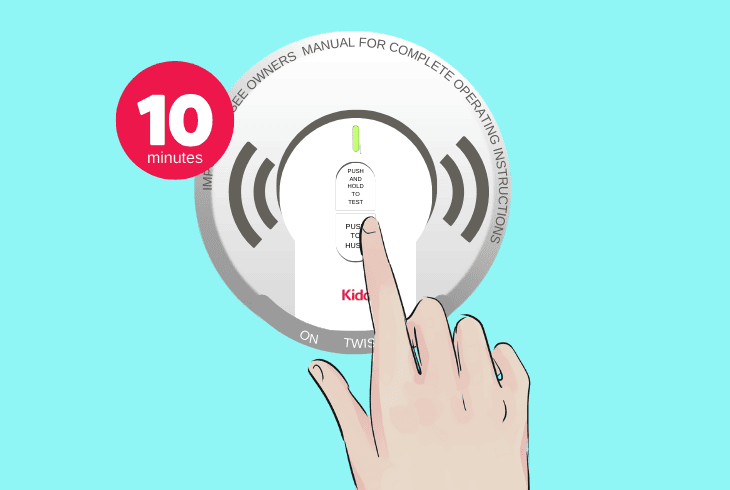
All smoke detectors have an in-built Hush button that silences the Kidde detector whenever it’s pressed.
The button is designed to prevent the detector from going off without a proper reason and mutes the outgoing alarm for up to 2 hours whenever the user presses it.
So, use an object to reach the smoke detector’s position and press the “TEST/HUSH” button on the frontal panel of the detector once to silence the outgoing alarm.
Then, wait 10 minutes and determine whether the signal will be restored; if it is, press the button again.
Tip: Try to find out how long the detector will remain muted after pressing “TEST/HUSH.”
3. Reconnect Kidde’s Interconnect Adapter

Using Kidde’s conductor knots, all interconnection wires will merge into a single adapter that plugs it into the rechargeable 10-year battery of the detector.
Upon failure of the hard wiring, the backup battery of the Kidde detector is set to activate automatically and supply the unit.
Follow these instructions to reconnect Kidde’s interconnection adapter:
- Reach the location of the Kidde smoke detector alarm.
- Grip the smoke detector and spin it counterclockwise.
- Once the bottom panel comes loose, take it off the unit.
- Unplug the adapter from the smoke detector’s top panel.
- Wait 15 seconds, reconnect the adapter, and reinstall.
If the interconnect adapter has developed a fault, it will remain loose from the port and cause the smoke detector to lose power frequently.
All the adapter’s pins must be intact. Otherwise, you must replace the cable with a brand-new one to deliver efficient power flow to the detector.
Note: Purchasing a Kidde smoke detector supplies only a single adapter!
4. Re-Knot the Adapter’s Semiconductors

To ground the interconnection wires coming through the ceiling and wiring with the detector, you must use a semiconductor knot supplied with the detector.
If you haven’t grounded the wires correctly, the Kidde detector could overload or power off unintentionally.
Here’s how to re-knot the semiconductors of Kidde’s wires:
- Remove the faceplate of the Kidde smoke detector.
- Deactivate Kidde’s power supply at the A/C breaker.
- Unmount the base of the detector from your ceiling.
- Pull out the white, black, and red wire from the ceiling.
- Next, remove the semiconductor caps from each wire.
- Re-knot the detector’s wires with each wire properly.
Notice: Each cap must be securely connected to the wire to isolate the system!
5. Remove the Kidde’s Backup Batteries

Like all modern smoke detectors, Kidde uses rechargeable backup batteries connected to your circuit installation via an interconnection adapter.
If anything happens to the room’s power or the wiring, the Kidde detector will always persist in working and alerting you instantly.
Here’s how to access the backup batteries of the Kidde smoke detector:
- Reach the position of the Kidde smoke detector.
- Grip the faceplate and uninstall it from the base.
- Next, remove the battery compartment cover.
- Expose and eject both of the backup batteries.
- Wait for 60 seconds while Kiddie is discharging.
- Place the batteries back into the compartment.
- Reinstall the Kidde smoke detector and then test.
Bonus Tip: Insert New Batteries in Kidde!
In case taking the batteries out did not have any effect on your Kidde alarm and the alarm keeps going off without a reason, it’s time for new backup batteries.
The Kidde alarm uses two 9V AA batteries in case of a hard-wiring failure that must be inserted within the battery compartment.
Notice: The new batteries must be compatible with the alarm’s compartment.
6. Check for a Tripped Circuit Breaker
If the backup batteries of the alarm remain active for longer than 10–15 minutes, the smoke detector’s alarm will go off, indicating that the main supply has failed.
If the alarm keeps reoccurring, there’s a high chance that the circuit breaker for the room has been tripped.

Here’s how to reset a tripped circuit breaker of the Kidde smoke detector:
- Navigate to the circuit breaker panel in your household.
- Open the breaker’s panel to access each device switch.
- Optional: Locate the isolate switch for your detector.
- Pull down the alarm or room’s power switch downwards.
- Wait for 60 seconds while the electricity is deactivated.
- Pull the breaker switch upwards to restore the A/C supply.
In case of a tripped circuit breaker switch, the controller will be set toward the “Off” position when you open the panel.
If the switch is not tripped, pulling it downwards and restoring the power supply is an excellent method to address issues with the detector’s electrical supply.
Note: In case of a damaged circuit breaker or bad alarm system cabling, contact a technician!
7. Force a Factory Reset on the Kidde Alarm
Wondering how to reset the Kidde smoke detector after a false alarm?
All you have to do is temporarily suspend the power supply of the detector and activate the factory reset process.
To achieve a reset of the Kidde smoke detector, you must eject the batteries, which will stop the power, after which comes the reset, which should fix the issue.
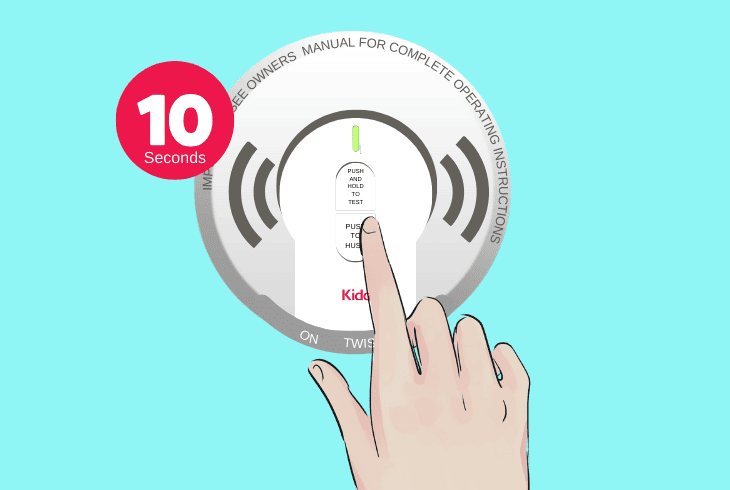
Here’s how to force a factory reset on the Kidde smoke detector in easy steps:
- Remove the faceplate of the Kidde smoke detector unit.
- Next, unplug the interconnect adapter from the top panel.
- Remove the battery unit from the detector’s battery bed.
- Hold the “TEST/HUSH” button for 10–15 seconds to start.
- Wait for 30–35 seconds until the detector is factory reset.
- Reinstall the rechargeable battery unit and the faceplate.
The unit will not begin the factory reset procedure if the battery remains inserted within the smoke detector.
You must verify that the interconnect adapter and the battery are ejected from the detector faceplate and mounting plate before continuously holding the “TEST/HUSH” button.
Note: The detector’s factory reset process may last up to 30 seconds!
Quick Recap:
To prevent the Kidde smoke detector false alarm, press the “TEST/HUSH” button on the frontal panel and reinsert the backup batteries.
Also, reset the circuit breaker and restore the Kidde alarm to default settings.
Follow us for more!
