
If you’re wondering why is your FireX smoke detector chirping, continue reading this guide!
FireX detectors tend to blink for one of two reasons – low battery or rudiments of an actual flame caused by CO2 detection within your household.
A depleted battery remains the most frequent cause for the unexplained chirping, but keep reading to uncover the issue’s details.
If the FireX detector is chirping, check your home for any smoke or CO2 production and press the “TEST/HUSH” button on the detector. If the issue persists, replace the batteries and reset FireX at the circuit breaker.
There’s more to discover, so let’s get started!
Why FireX Smoke Detector Won’t Stop Chirping?
The detector could be chirping for various reasons, the most crucial being a weak battery requiring replacement.

The best way to get to know your FireX detector, uncover all technical specifications and what could be producing the chirping, we must review all possible causes.
Here’s why the FireX smoke detector is chirping periodically:
How Does the FireX Detector “Detect”?
The FireX smoke detector uses ionization-sensing technology, which detects invisible fire particles sooner than the photoelectric smoke detectors.
Even if the detector uses hard-wire to connect with the chime panel routed with the circuit breaker, it also has a backup battery unit.
The backup battery is set to activate automatically upon failure of the wires and can last for several days on a full charge.
The charging efficiency and capacity of FireX’s battery define how long it can last, as the unit undergoes depletion in under 12 months of regular usage.
FireX Smoke Detector Chirping – Easy Fix
Reminder: Have you checked all appliances that can start a fire or produce particles with a high density of CO2?
1. Silence the FireX Smoke Detector

If a CO2 detection does not cause the chirping, you can silence the detector by pressing the “TEST/HUSH” button on the outer panel of the detector.
The button is specifically designed to silence the FireX detector if the beeping or chirping noise is mistakenly produced and there is no fire hazard.
The hush’s duration on your FireX detector may vary, but it will keep the alarm silenced for up to 10 minutes or permanently if the noise is not due to fire.
If the chirping resumes shortly after pressing the button, there is another fault with the detector, causing the alarming noises.
Tip: Use a chair or a ladder to reach the position of the detector’s hush button!
2. Power Cycle the FireX Detector

The first troubleshooting step to stop the chirping of the FireX smoke detector is performing a total power circulation on the device.
To perform a power cycle, you’ll need to temporarily detach the battery from the back panel of the detector and use only the A/C cord as a power supply.
Here’s how to perform a power circulation on the FireX smoke detector:
- Switch off the circuit breaker to turn off the main power supply.
- Turn the device counterclockwise to detach it from the ceiling.
- Disconnect the electrical connector from the smoke detector.
- Remove the battery compartment and then the battery itself.
- Wait for a few minutes for the remaining electricity to vacate.
- Apply these steps in reverse order to reinstall the battery unit.
If installed by technicians, the FireX’s hard wires knotted with the unit’s battery terminal should have direct access to an individual switch in your circuit breaker panel.
So, not deactivating the power supply at the circuit breaker could expose you to the danger of direct electricity contact.
Alert: Do not work on the detector before deactivating the power at the mains first!
3. Inspect FireX’s Battery Terminal

If there’s a fault with the terminal wires responsible for maintaining the backup battery’s capacity persistently, the detector could start chirping as an indication of low power.
So, the next step is to access the detector’s battery terminal and thoroughly examine the wires.
Here’s how to access and check the terminal wires of the FireX detector:
- Access the detector and uninstall the faceplate of the unit.
- Pull the jack of the battery terminal to unmount it properly.
- Turn off the power supply to the detector at the A/C mains.
- Pull out the supplying wires from FireX’s battery terminal.
- Inspect if the copper conductor wire has visual damage.
- Re-knot the copper conductor and push the wire back in.
- Reinstall the wires back to the battery’s terminal to supply.
- Place the faceplate back onto the FireX’s mounting bracket.
If the copper conductor on either the “C” or “GRND” wires is defective, contacting a technician is strongly advised since installing new conductors is highly challenging.
The wires are typically built into your walls and wired with the circuit breaker’s switch, so self-installation isn’t possible.
4. Check for Debris or Dust Accumulation
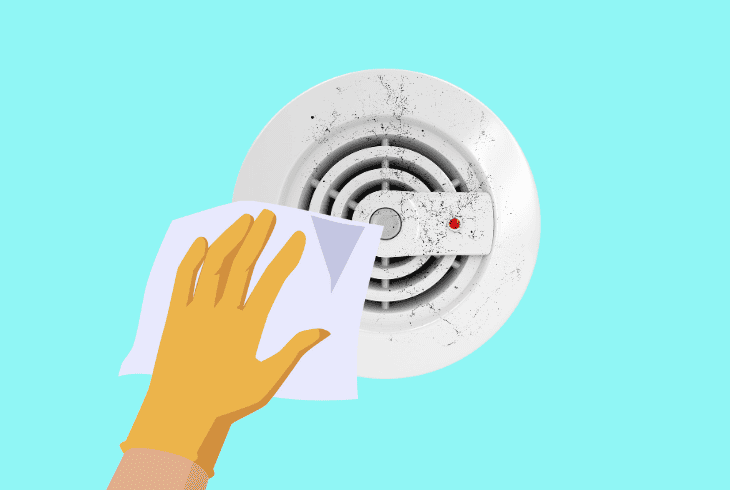
Excess accumulation of dust, debris, or other particles could cause the detector’s alarm to go off if the contact is obstructed.
Dirt, dust, debris, cigarette smoke, and cooking residue are just some causes of a dirty detector, so you must clean the unit to ensure no external interference.
Here’s how to clean the dust from the FireX smoke detector efficiently:
- First, switch off the circuit breaker controlling the detector.
- Detach the device from its bracket and remove the cord.
- Clean the outer surface of the device with compressed air.
- Carefully detach the front cover from the FireX detector.
- Clean the dust out of the inner components of the device.
- Re-insert the smoke detector’s front cover back correctly.
- Finally, re-attach the device back to its position on the roof.
The cleaner the FireX detector is, the more likely it is for the unit to detect CO2 residue in your home in its early stages and notify you as soon as possible.
If the sensors remain obstructed, it could take up to 60 seconds after CO2 detection for the FireX smoke detector to start chirping.
Tip: It is also advised to clean the outer panels of the detector!
5. Check for a Tripped Circuit Breaker

The FireX unit’s rechargeable battery supply might have been suddenly interrupted due to a tripped or pushed circuit breaker.
The detector might start chirping after a while if the backup battery is not charged, so the next step is to check if the primary breaker is tripped and reset it.
Here’s how to check for a tripped circuit breaker in easy steps:
- Locate the circuit breaker box in the household or garage.
- Next, access the panel and find the FireX detector switch.
- Push the switch downwards to suspend the power supply.
- Wait for 60 seconds while the detector’s A/C is deactivated.
- Push the switch back upwards to restore the power supply.
If there are fuses instead of switches, you may need to unscrew the fuse supplying power to the FireX smoke detector and verify it’s not blown.
If it’s blown, find an identical replacement fuse.
Tip: If the detector has no individual breaker switch, deactivate the room’s power!
6. Reset the FireX Smoke Detector
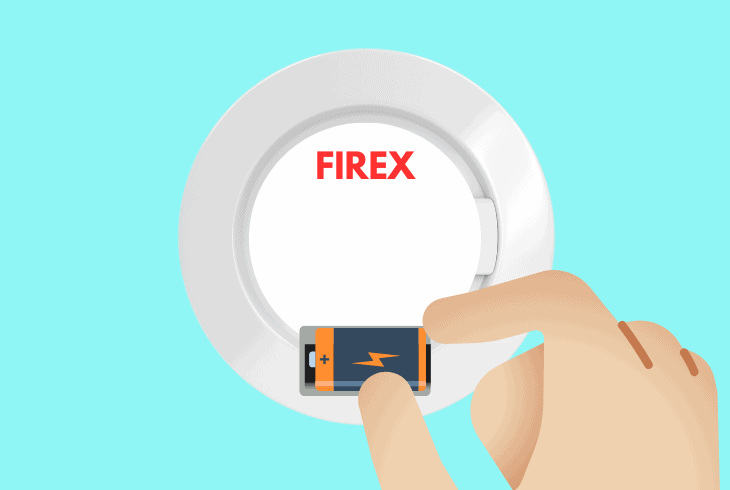
The factory reset is another excellent solution to address the prolonged chirping of the FireX smoke detector, as it erases the detector’s cache.
The factory reset will force the electricity in the capacitors to vacate, which is an excellent way to resolve the unexplained device chirping.
Follow these instructions to factory reset the FireX detector:
- Disconnect the FireX smoke detector from the ceiling.
- After that, deactivate the power supply to the device.
- Unplug the power cable from the device’s back panel.
- Open the battery compartment from the front panel.
- Next, remove the backup battery from your detector.
- Press and hold the “Reset” button for 10-15 seconds.
- Attach the FireX smoke detector and turn on the power.
Note: You should hear a different-toned beep upon pressing the internal reset button!
7. Replace FireX’s Backup Battery

FireX hardwired smoke detector chirping could still occur even when the device has removed the battery.
In such cases, the smoke detector requires a backup battery replacement since the unit can no longer be recharged and supply the CO2 sensors.
Note: If you have a replacement battery at home, feel free to implement it and check if the chirping will disappear.
Quick Recap:
To fix when the FireX smoke detector chirps, power circulate the detector, use the “TEST/HUSH” button, and inspect the terminal wires.
If the issue persists, reset the circuit breaker and factory reset the detector.
Follow us for more!
